Tuesday, 10 February 2015

Lenovo S90 the i phone clone launched in India for 19,990/- specifications and features here.

After the online leak the Lenovo has finally launched the S90  I phone 6 clone for 19,990/-
I phone users don't need to worry it just looks like I phone but doesn't works like I phone.

Here are the full specs.

NETWORKTechnologyGSM / HSPA / LTE
LAUNCHAnnounced2014, November
StatusAvailable. Released 2014, November
BODYDimensions146 x 71.7 x 6.9 mm (5.75 x 2.82 x 0.27 in)
Weight129 g (4.55 oz)
SIMDual SIM (Micro-SIM, dual stand-by)
DISPLAYTypeSuper AMOLED capacitive touchscreen, 16M colors
Size5.0 inches (~65.8% screen-to-body ratio)
Resolution720 x 1280 pixels (~294 ppi pixel density)
MultitouchYes
PLATFORMOSAndroid OS, v4.4.4 (KitKat)
ChipsetQualcomm MSM8916 Snapdragon 410
CPUQuad-core 1.2 GHz Cortex-A53
GPUAdreno 306
MEMORYCard slotNo
Internal16/32 GB, 1/2 GB RAM
CAMERAPrimary13 MP, 4208 x 3120 pixels, autofocus, LED flash, check quality
Features1/3.2'' sensor size, 1.4µm pixel size, geo-tagging, touch focus, face detection, HDR
Video1080p@30fps, check quality
Secondary8 MP, AF, LED flash
SOUNDAlert typesVibration; MP3, WAV ringtones
LoudspeakerYes
3.5mm jackYes
COMMSWLANWi-Fi 802.11 b/g/n, hotspot
BluetoothYes
GPSYes, with A-GPS
NFCYes
RadioFM radio
USBmicroUSB v2.0
FEATURESSensorsAccelerometer, proximity
MessagingSMS(threaded view), MMS, Email, Push Mail, IM
BrowserHTML
JavaYes, via Java MIDP emulator
- Active noise cancellation with dedicated mic
- MP4/WMV/H.264 player
- MP3/WAV/WMA/eAAC+ player
- Photo/video editor
- Document viewer
BATTERYNon-removable Li-Ion 2300 mAh battery
Stand-by
Talk time
MISCColorsWhite/silver, gray, pink, soft orange, blue
Price group
TESTSPerformanceBasemark OS II: 1377 / Basemark OS II 2.0: 513
Basemark X: 1909
DisplayContrast ratio: Infinite (nominal) / 2.892 (sunlight)
CameraPhoto / Video
LoudspeakerVoice 66dB / Noise 65dB / Ring 75dB
Battery life


specs by gsmarena .


Tuesday, 26 August 2014

Improve your Facebook account security.Here is a small tip.

Many times your account gets hacked or someone accesses you Facebook account without your permission so how can you make your account more secure.

Here is  a small tip which might help you..

After you log in just 
go to security its in the panel where you find the log out button. go to that.
then on the left side there is a second option named security go to that
and then go to #log in notifications then just enable the log in notifications by selecting the option text message or email.

What happens by this is you will get a message on you phone And/Or on your Email every time you or anyone else logs-in to your Facebook account and you will get to know that someone is logged in to your account  so you can immediately log in again and change your password.. some other site also provide this type of feature with some variations Gmail also haves a same feature which is a bit different.

So now you Account is more secure than before.

Stay tuned for more posts. 

Sunday, 24 August 2014

Download YouTube Videos without any add on softwares.

Its always been kinda hard to download YouTube videos form browser.. generally it requires IDM and all that complicated stuff..
but now we don't need to do it anymore.

Here is the tip.

First go to YouTube find you video which you want to download

Second open the video.

Third go to the address bar where the URL is written and then just type save after the www.
for example we will take this link.

https://www.youtube.com/watch?v=PQBTd4xF6tU&list=PLHFlHpPjgk71-8cHGcN7GpjIimFcVIC4X

Now just type it like this.

https://www.saveyoutube.com/watch?v=PQBTd4xF6tU&list=PLHFlHpPjgk71-8cHGcN7GpjIimFcVIC4X

A page will open automatically it might show you some security warnings allow them go to the page and just follow some instructions on that site. and you are done..
you can download videos in multiple formats and you can also download them in mp3 file format,...
and you can also type ss rather typing save both of them work almost same..

Hope u liked my blog please comment and follow if u like it.

Enjoy!!!

Sunday, 27 July 2014

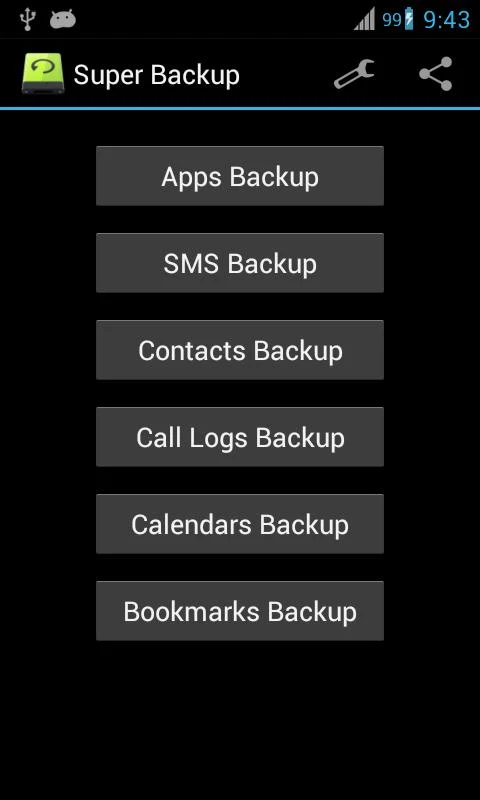
Want To Backup SMS,Contacts,Apps,Browser bookmarks Here Is The App !

Many of the times we lose our messages and contacts and apps and bookmarks and after that everything becomes a mess..
But now we don't need to worry..


Here is the app Super backup ..


It will backup your contacts messages,browser bookmarks and Apps too.
with a few taps.. This app is easy to use and very small in size and really helpful with this app you will never lose your important data..

And the good part is we can also send any backup to email id so that even if your SD card gets formatted or breaks or anything you don't need to worry just download it from email and restore the data with the help of this app.. 


This app will also automatically backup all the installed apps so we don't need to do this manually.. Of course we can change it through setting if we don't want automatic backup...

And yes it is Free!!!

Monday, 3 March 2014

A great app for sharing Files between smart phones and your computer.

Are you tired of Bluetooth and you don't have a latest android phone with WiFi direct solution don't worry here is is one app for all of you this app is really great for sharing files among you friends with a stunning speed which is far more than normal Bluetooth sending speed..

The apps name is Software Data Cable  it sends files by a WiFi connection with a really great speed.

Their are also many other apps on the market like super beam and all others but they don't provide a very great feature like connecting your mobile to your laptop without any cable through a WiFi connection..

Yes it is very simple just open the app go to sync phone and click connect with friends and now one of the person should create the network and other one should join the network.and then just select the file you want to share long press the file and press direct share and one your done.

You can do the same with laptop just open the app click start services and one FTP address will appear input that address in the address bar of windows explorer completely and now you can browse and copy the files in your mobile through your laptop without any cable required but for this your laptop and mobile should be connected through a same WiFi connection.

I hope this was helpful app for all of you..